


How to Clean Every Type of Screen and Lens (Without Ruining the Coating)
At a Glance
Screens and lenses aren’t bare glass, they’re coated surfaces, and the coating is the part you can ruin. Jump to what you need:
- The safe method for any screen or lens
- What the coatings actually are
- Every type of screen, one by one
- Every type of lens, one by one
- Cleaners that cause permanent damage
- What is actually safe to use
- Every type of cloth, compared
- Step-by-step routines
- Keeping the cloth from becoming the problem
- Frequently asked questions
The short version: dust or blow off grit first, use a dry lint-free microfiber cloth, add plain distilled water only if you need it, spray the cloth and never the device, and keep ammonia, vinegar, and household glass cleaner away from anything coated.
You won't scratch a screen with one dramatic mistake. It happens gradually when you use paper towel or the corner of your shirt continuously. Eventually, the display looks permanently hazy and the glasses have a faint spiderweb in the light.
Modern screens and lenses aren’t sheets of glass. They’re glass or plastic with microscopically thin functional coatings on top, and those coatings are softer than the surface underneath and chemically fussy about what touches them.
This guide covers every screen and lens you’re likely to own, what each one is actually made of, which cleaners quietly destroy them, and which cloths are genuinely lint-free versus which ones just look soft. So let's dive in!
The Safe Method for Any Screen or Lens

If you remember one process, make it this one. It works on a phone, a pair of eyeglasses, a 75-inch OLED, and a camera lens, because it removes grit before anything drags across the surface.
- Power down and cool down. A dark screen shows every smudge, and a cool screen won’t flash-dry moisture into streaks.
- Remove the grit first. Blow it off with a hand blower bulb, or lift it with a dry, clean microfiber cloth using no pressure. Grit is what does the scratching as the cloth is just the thing that drags it.
- Try dry first. A quality lens or screen cloth removes most fingerprints and dust with nothing added.
- Add moisture to the cloth, never the device, and only if needed. Distilled water, or a cleaner the manufacturer specifically approves. Damp, not wet.
- Wipe gently, then finish dry. Straight overlapping passes on flat screens, small circles from the center outward on curved optics. Follow with a dry section of cloth to stop water spots forming.
Everything else in this guide is a variation on those five steps, plus the specific things that will damage each individual surface.
You’re Not Cleaning Glass. You’re Cleaning a Coating.
This is the single idea that explains every rule that follows. The hard surface of a phone or a lens might be tough, but sitting on top of it are functional layers measured in nanometers, and those layers are what your cloth and your cleaner actually touch.
Here’s what’s on the surfaces around a home:
| Coating | Where you’ll find it | What damages it |
|---|---|---|
| Oleophobic (oil-repelling) | Phone and tablet glass, most touchscreens | Abrasion, repeated alcohol and disinfectant wipes |
| Anti-reflective (AR) | Eyeglasses, camera lenses, some monitors | Ammonia, vinegar, abrasives, dry-wiping grit |
| Anti-glare / matte etch | Monitors, laptop panels, some TVs | Solvents, and any cloth that leaves fibers in the texture |
| Anti-fog | Safety glasses, ski and swim goggles | Alcohol, soap, and simply wiping the inner surface |
| Scratch-resistant hardcoat | Plastic lenses, headlights, plastic screens | Strong solvents, acetone, abrasive pads |
| Polarizing film | Sunglasses, OLED panels, LCD layers | Solvents wicking into edges, causing delamination |
| Mirror coating | Mirrored sunglasses, some visors | Any abrasion — it sits on the outside of the lens |
An anti-reflective layer that has been wiped with ammonia doesn’t crack immediately. It starts to craze, and a few weeks later you notice a fine web of lines that no amount of cleaning removes, because the damage is in the coating rather than on it.
Oleophobic coatings wear out in a different way. They’re sacrificial by design, so if your phone screen smudges far more easily than it did when it was new, that layer has thinned out, and harsh cleaners get you there faster.


Every Type of Screen, and What Each One Needs

“Screen” covers a dozen different constructions and they don’t all tolerate the same treatment. Glass-fronted devices are the forgiving end of the range. Bare plastic panels are the fragile end, and that’s where most expensive mistakes happen.
Smartphone and tablet screens
These are chemically strengthened glass with an oleophobic coating, which makes them the toughest screens you own, but the coating is still the limiting factor. A dry microfiber cloth handles daily smudges. For anything greasier, dampen the cloth with distilled water.
Disinfecting is a separate question from cleaning. Several manufacturers, Apple included, permit a 70% isopropyl alcohol wipe on the display. Although, alcohol every day will thin the oleophobic layer, so save it for when you actually need to sanitize.
READ NOW: How to Clean and Sanitize Your Cell Phone
Laptop screens (glossy vs. matte)
Laptop panels are usually plastic, not glass, and that changes everything. Glossy panels scratch more easily than a phone. Matte panels carry an anti-glare layer with a microscopic texture that traps loose fibers, which is exactly why a paper towel makes a matte screen look worse.
Use a dry, tightly woven microfiber cloth, almost no pressure, and distilled water only when a mark won’t lift dry. Keep liquid well away from the bezel edges and the keyboard below.
LED and LCD televisions
Most flat-panel TVs have a plastic front layer, not glass, and they are the surface people most often ruin with glass cleaner. Every major manufacturer says the same thing: soft dry cloth, no ammonia, no alcohol, no solvents, and never spray the panel directly.
Panels also flex. Press hard enough to feel resistance and you risk damaging the layers behind the surface, so support the back of the panel with your free hand if you need to work on a mark.
OLED televisions and monitors

OLED panels are the least forgiving screens in the house. The front surface is a polarizer, sometimes with an anti-reflective treatment, and manufacturer manuals typically prohibit alcohol, benzene, and thinners outright.
Dry cloth only is the default here. If a smudge truly won’t move, a barely damp corner of distilled water on a lens-grade cloth, immediately followed by a dry pass, is as far as anyone should go.
Computer monitors and anti-glare panels
Desk monitors collect a specific kind of grime, which is why they need more than dusting. Etched anti-glare and matte glass finishes hold onto lint in the texture, so cloth choice matters more here than on any phone.
Some premium matte finishes have their own rules. Certain etched-glass displays are only supposed to be cleaned with the specific cloth the manufacturer supplies. If your monitor came with a cloth in the box and a warning in the manual, that warning is real.
Car infotainment and dash screens
Vehicle touchscreens carry anti-fingerprint coatings and often sit in a plastic bezel that a solvent will happily haze. Interior detailing sprays and household glass cleaner are both common causes of permanently cloudy infotainment screens.
Dry cloth, then damp if needed, and mind the gaps as any liquid that runs off the bottom edge of a dash screen lands inside the dashboard.
E-readers and e-ink displays
E-ink screens are plastic and matte, so they mark easily and hold fibers. They’re also rarely greasy, since you touch the frame more than the page. A dry lens cloth is almost always enough.
Smartwatches and fitness trackers
Watch faces are small, tough, and filthy, because they live against skin, sunscreen, and sweat. Rinse-and-dry advice varies by model, but the cleaning part is easy: a damp cloth on the crystal, a dry pass to finish, and keep moisture out of the sensor and charging contacts.
Screen protectors

Tempered glass protectors clean like glass, and most of them have their own oleophobic layer that wears out within a year. If a protector smudges constantly, replace it rather than scrubbing it. Thin plastic film protectors scratch far more easily than the screen they’re protecting, so treat them like a matte laptop panel.
Kiosks, POS terminals, and shared touchscreens
Commercial touchscreens get cleaned constantly, which means the coating takes years of abuse in months. If a site requires disinfecting, the durable approach is to clean with a damp lens-grade cloth first, then disinfect with whatever the equipment maker approves, rather than scrubbing with a disinfectant wipe and calling it both.
Every Type of Lens, and What Each One Needs

Lenses are curved, coated, and expensive, and unlike a screen there’s no bezel to hide a damaged edge. The other difference is scale: a scratch you’d never notice on a TV sits directly in your line of sight on a pair of glasses.
Eyeglasses
Nearly all modern lenses are plastic, like CR-39, polycarbonate, Trivex, or high-index. Every one of those is significantly softer than glass. They’re shipped with a scratch-resistant hardcoat and usually an anti-reflective stack on top, so what you’re cleaning is a coating on a coating on plastic.
The method eye care professionals recommend is boringly consistent: rinse under lukewarm water to float off grit, add a single drop of lotion-free dish soap, rinse thoroughly, then dry with a clean lint-free microfiber cloth. Don’t use hot water, and don’t skip the rinse. Dry-wiping dusty lenses is the number one cause of fine scratches.
The list of things to keep away is just as consistent: saliva, shirttails, paper towels and napkins, tissues, household glass cleaner, ammonia, bleach, and vinegar.
Sunglasses, polarized and mirrored
Polarized lenses have a film laminated inside them, so the risk isn’t only the surface. Solvents that wick into the lens edge can cause the layers to separate. Mirror coatings are worse, because the reflective layer usually sits on the outside of the lens where every wipe reaches it.
Rinse first, always. Beach and road grit on a mirrored lens plus a dry wipe equals visible swirl marks in one pass.
Safety glasses and anti-fog eyewear
Anti-fog coatings are the most fragile coating in this entire article. They’re hydrophilic by design, which means alcohol, soap, and vigorous wiping all strip them. Rinse with water, shake off the excess, and blot, don’t polish.
Camera lenses and filters

A front lens element is multi-coated glass and needs the most disciplined routine of anything here. Blower first to remove dust, then a soft lens brush, then (only if there’s something greasy left) a lens cloth or lens tissue with dedicated lens fluid, working in a spiral from the center out.
Never put fluid straight onto the lens. It runs to the edge of the element and wicks into the barrel, where it can reach the internal coatings and the adhesive. Put it on the cloth.
Phone camera lenses
The little lens covers on the back of a phone are glass or sapphire and they are constantly fingerprinted, which is why photos look mysteriously soft and hazy in backlight. A dry lens cloth on the camera cluster takes five seconds and is the highest-value cleaning in this whole guide.
Binoculars, rifle scopes, and telescopes
Treat these exactly like camera lenses, with one addition: clean them less often. Optics people are near-unanimous that more damage comes from over-enthusiastic cleaning than from a bit of dust, and a few specks on a front element have no visible effect on the image.
Ski goggles and swim goggles
Never wipe the inside of a goggle lens, especially while it’s wet. The inner surface is an anti-fog layer that comes off on the cloth, and that’s the end of it permanently. Shake the water out, let them air dry, and clean only the outer surface.
VR headset lenses
Headset optics are plastic, often Fresnel or pancake lenses with delicate coatings, and headset makers are explicit that no liquid and no alcohol should ever touch them. Dry optical cloth from the center outward, and never store a headset where sunlight can reach the lenses as they focus light onto the display and burn it.
Watch crystals
Sapphire crystals are extremely hard and shrug off almost anything, though many have an inner anti-reflective coating worth respecting. Mineral glass sits in the middle, and acrylic crystals on vintage watches scratch if you look at them wrong. A lens cloth is the right tool for all three.
Headlight lenses
Headlights are polycarbonate with a UV hardcoat, and once that hardcoat oxidizes the yellow haze is inside the plastic, not on it. Routine washing is a microfiber-and-water job. Anything abrasive strips what’s left of the coating, which is why restored headlights fog again within a year unless they’re resealed.
Why the Wrong Cleaner Causes Permanent Damage

Household cleaners are built for hard, sealed surfaces, like tile, porcelain, sealed countertops, where a strong solvent or a high-pH detergent is an advantage. On a nanometer-thin optical coating, those same ingredients are the problem.
What each one actually does:
| Ingredient or tool | What it does to screens and lenses |
|---|---|
| Ammonia (most blue glass cleaners) | Attacks anti-reflective coatings and hazes plastic panels. The most common cause of a permanently cloudy TV or laptop screen. |
| Alcohol (isopropyl, ethanol) | Thins oleophobic coatings over time and destroys anti-fog coatings immediately. Prohibited outright on most OLED and VR optics. |
| Vinegar | Acidic enough to degrade lens coatings. Great on hard water in a shower, wrong on anything optical. |
| Acetone and nail polish remover | Dissolves plastic lenses and panels on contact. Causes crazing that cannot be polished out. |
| Disinfecting and baby wipes | Carry quaternary compounds, alcohol, or lotions that leave a film or strip coatings with repeated use. |
| Dish soap with lotion or moisturizer | Leaves a smeary film that no amount of buffing clears. Lotion-free only, and only on eyeglasses. |
| Abrasive powders, pastes, and melamine sponges | Physically remove coatings. A melamine sponge is a very fine sandpaper, and coatings are thinner than what it removes. |
| Tap water | Fine for rinsing eyeglasses, poor for wiping screens — dissolved minerals dry into spots that then get scrubbed at. |
| Canned compressed air | Can spit freezing propellant onto the surface and fires grit across coatings at speed. A hand blower bulb does the same job safely. |
| Paper towels, tissues, napkins | Wood fibers are harder than optical coatings. They scratch, and they shed lint into every matte texture. |
There’s one more failure mode that has nothing to do with chemistry: spraying the device instead of the cloth. Liquid runs down to the bezel, wicks under the edge by capillary action, and either delaminates the layers or ends up on the electronics. Every manufacturer warns about it, and it’s still the most common way a screen dies during cleaning.
READ NOW: How to Clean Hard Water Stains on Glass & Stainless Steel Without Damage
What Is Actually Safe to Use
The safe list is short, so you almost certainly don’t need to buy a specialty product for every device in the house.
- Nothing at all. A quality lens or screen cloth used dry handles the majority of everyday dust and fingerprints, and dry can’t run into a seam.
- Distilled water. The default for screens. No minerals means no spots, so there’s nothing left behind to scrub at later.
- Lukewarm water plus a drop of lotion-free dish soap. The standard eyeglass method, done at a sink so grit gets rinsed away rather than dragged.
- Dedicated lens or optical cleaning fluid. Formulated to be coating-safe and to evaporate cleanly. Worth it for camera glass and coated eyewear.
- 70% isopropyl alcohol, only where the manufacturer approves it. A sanitizing step for phone glass and shared touchscreens, not a routine cleaner, and never on anti-fog, OLED, or VR optics.
When you’re unsure about a specific device, the manufacturer’s support page is the fastest answer, and it’s the one that protects the warranty. When you’re unsure about a coated lens, ask the optician who sold it to you.
READ NOW: How to Clean Glass & Mirrors Without Streaks (Pro Method That Actually Works)
Every Type of Cleaning Cloth, Compared for Screens and Lenses

The cloth matters more than the cleaner. On a coated surface, most damage is mechanical. Fibers that are too hard, a weave that traps grit, or loose fibers left behind in a matte texture. “Soft to the touch” is not the same thing as “safe on coatings,” and cotton flannel is the proof.
Here’s the whole field at a glance, from the cloths built for optics down to the ones that cause the damage people blame on their cleaner:
| Cloth | Best for | Lint left on lenses | Verdict |
|---|---|---|---|
| Microfiber suede | Eyeglasses, phones, tablets, monitors, TVs | None | The all-rounder for screens and lenses |
| Microfiber silk | Coated lenses, camera glass, final polish | None | The finest finish available |
| Quick Cloth (dual-sided) | Eyeglasses and phones on the go | None | Clean and polish in one cloth |
| Microfiber glass cloth | Large screens, mirrors, windows, TVs | None | Streak-free with water alone |
| Standard multi-surface microfiber | General cleaning; screens in a pinch | A little | Safe, but you’ll see fibers |
| Microfiber waffle weave | Glass and drying; screens in a pinch | A little | Safe, but the texture sheds slightly |
| Optical lens tissue (disposable) | Camera and telescope elements | None | Fine, but single-use and wasteful |
| Pre-moistened lens wipes | Travel convenience | None | Usually alcohol-based — check the label |
| Cotton T-shirt or flannel | Nothing optical | Yes | Holds grit and smears oil around |
| Terry cotton towel | Nothing optical | Heavy | Lints badly and pushes dust around |
| Paper towel, tissue, napkin | Nothing optical | Heavy | Wood fiber scratches coatings |
| Melamine sponge or scouring pad | Nothing optical | — | Abrasive. Removes coatings outright |
Dedicated lens and screen cloths (the lint-free tier)
What makes a cloth lint-free is the face construction. General-purpose microfiber is knitted with raised terry loops, which is what gives it scrubbing power. And those loops are also what shed short fibers and hold onto grit. Lens and screen cloths use a flat, tightly woven or brushed face with no loops, so there’s nothing to leave behind.
Microfiber suede is the one to reach for if you only want to own one. The brushed suede face is soft enough for a coated eyeglass lens and large enough, in the bigger sizes, to do a monitor or a TV without endless folding. It lifts fingerprint oil dry, which is what you want on a panel that shouldn’t get wet.
Microfiber silk is the finest face we make, and it’s the specialist. On anti-reflective eyeglass lenses, camera front elements, and watch crystals, it clears the last haze that a coarser cloth leaves behind. Think of it as the polishing step rather than the cleaning step.
A dedicated lens cloth solves the practical problem: the cloth is never where the smudge is. Each one has a terry side that does the cleaning and a smooth silk side that does the polishing, and it comes in a resealable case sized for a pocket, a purse, a laptop bag, or a glove box. Keeping it in the case is the point as a lens cloth loose in a bag collects the grit you were trying to avoid.
Microfiber glass cloths are the large-format answer. The weave is tight and flat with no loops, it’s engineered to clean glass with water alone, and at 16” x 16” it covers a big TV, a set of windows, or a wall of mirrors without lint or streaks. It’s the cloth professional crews use on glass all day, and a large screen is just glass with electronics behind it.
Custom Printed Lens & Screen Cloths
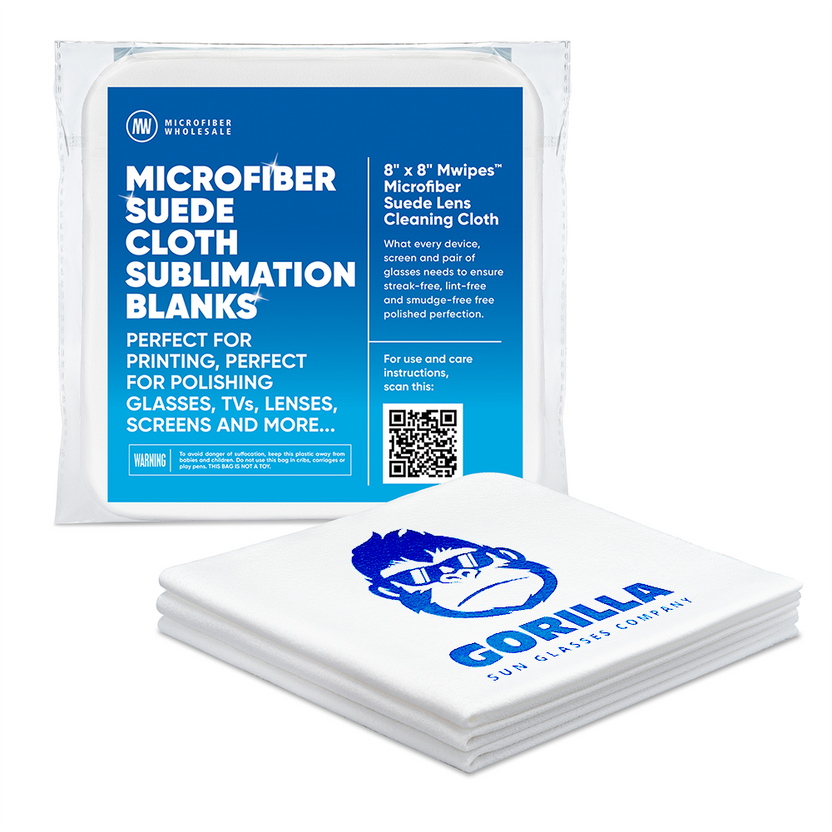
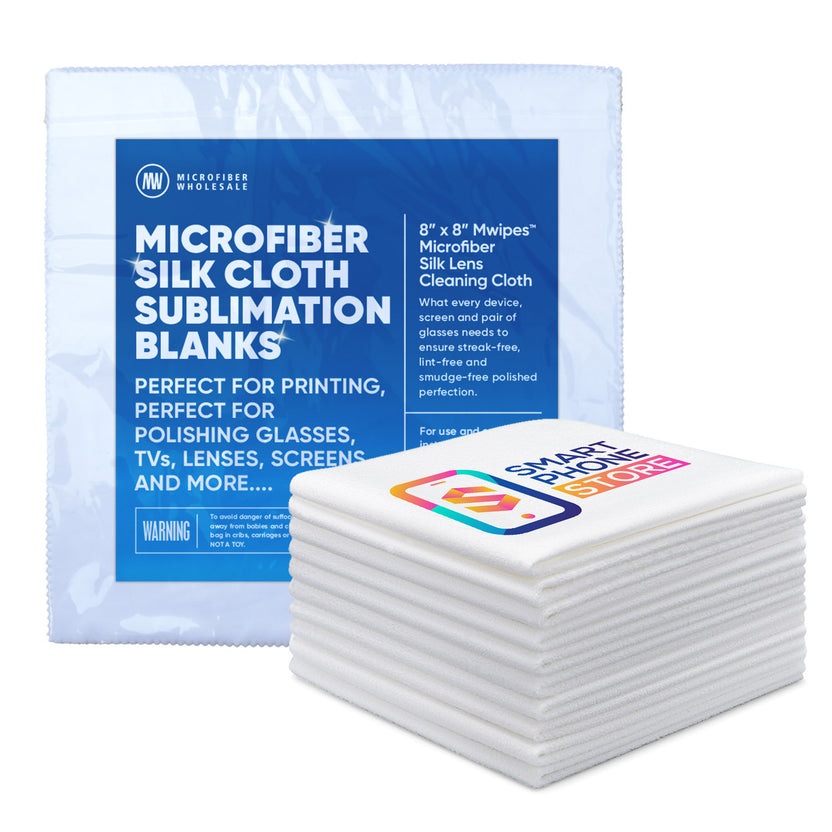
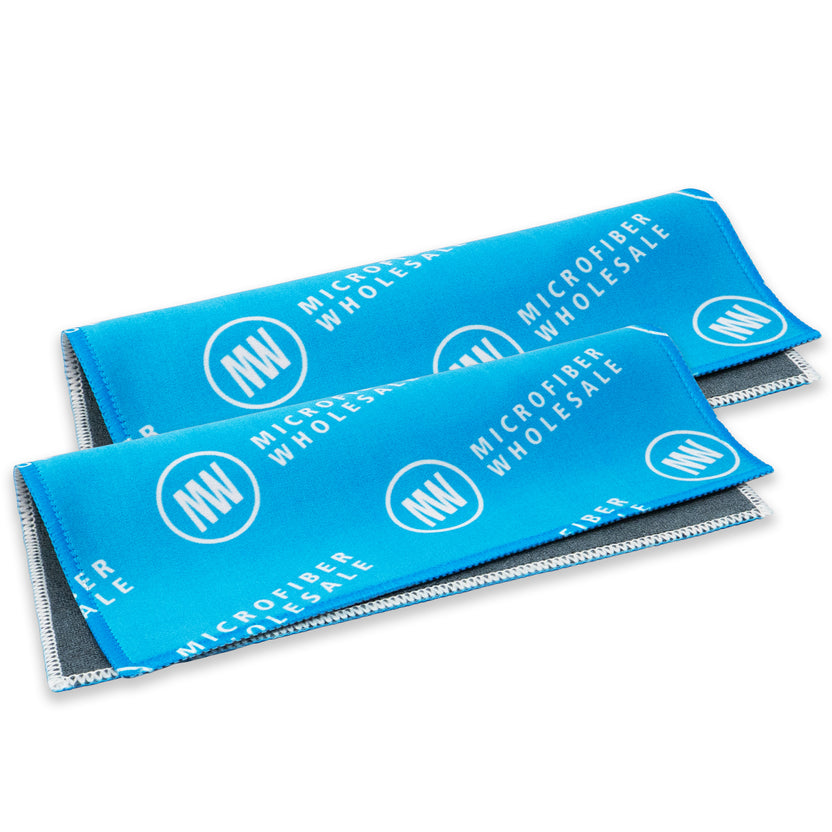
All four are machine washable, which is the advantage over disposable wipes. A lens cloth that gets washed instead of thrown away is a cloth that’s actually clean when you use it.
READ NOW: What are the best microfiber cleaning cloths? Here’s what you need to know!
The general-purpose microfiber you already own
If you don’t have a lens cloth handy, a clean general-purpose microfiber cloth is a perfectly safe choice, and a far better one than a paper towel or the corner of your shirt. It won’t scratch coatings, and it will lift the fingerprints.
Though the honest trade-off is lint. Standard multi-surface microfiber and waffle weave both have texture, and texture sheds a small amount. On a big TV you might not notice. On a pair of anti-reflective glasses in bright light you will, and the fibers you’re now picking off were the whole reason you started cleaning.
Standard multi-surface cloths do fine work on screens if you pick a clean one and use it dry. Their terry loops are built for lifting grease and grime off counters, which is more aggression than a screen needs, and they shed a few fibers as they work.
Waffle weave cloths are the better of the two on glass, because the raised pockets hold water and release it evenly, which is why they dry windows and shower doors without streaking. That same texture is why they’re not ideal on a small coated lens.
One rule matters more than the choice: never use a general-purpose cloth on optics if it has been anywhere near floors, grease, or chemicals. A cloth that has cleaned a countertop is holding grit and detergent residue, and both of those go straight onto your lens.


What never belongs near a screen or a lens
- Paper towels, tissues, and napkins. Wood pulp fibers are harder than optical coatings.
- Your shirt. The classic move, and the reason so many lenses have fine swirls. Fabric plus embedded dust equals a polishing compound.
- Terry cotton towels. Heavy lint, and the loops trap grit from the last thing they dried.
- Melamine sponges and scouring pads. Abrasive by design.
- Any cloth that has touched a chemical cleaner. The residue transfers, and on a coating the residue is the problem.
- Cheap unbranded microfiber with cut edges. Poorly finished microfiber sheds and can carry hard trim that drags across a lens.
READ NOW: Cleaning Tools Ranked From Most Likely to Scratch Your Surfaces to Safest
Step-by-Step Routines
Phones and tablets
- Take the case off and unplug the device.
- Wipe the screen dry with a suede or silk microfiber cloth, using light pressure.
- For greasy marks, dampen one corner of the cloth with distilled water and go again.
- Finish with a dry section, then do the back camera lenses.
- If you need to sanitize, use a 70% isopropyl wipe on the glass only — not on leather or fabric cases.
TVs and monitors
- Turn the screen off so you can see what you’re doing.
- Dust the frame and the top edge first, so nothing falls onto a clean panel.
- Wipe the panel dry with a large suede cloth or a microfiber glass cloth, in straight overlapping passes.
- For stubborn spots, dampen the cloth with distilled water — never the screen — and support the back of the panel with your other hand.
- Dry immediately with a clean section to prevent water marks.
Eyeglasses and sunglasses
- Rinse under lukewarm running water to float off grit. This step is not optional.
- Add one drop of lotion-free dish soap and work it over both surfaces with your fingertips, including the nose pads and hinges.
- Rinse thoroughly.
- Shake off the water and dry with a clean, dry microfiber lens cloth — suede or silk.
- Store them in a case. Face-down on a nightstand is how lenses get scratched.
Camera lenses and optics
- Blow the dust off with a hand blower bulb.
- Brush anything remaining with a soft lens brush, working outward from the center.
- Stop here if the glass looks clean. Most lens damage comes from unnecessary wiping.
- If there’s oil or a fingerprint, apply lens fluid to a silk microfiber cloth or lens tissue (never to the lens) and wipe in a spiral from the center out.
- Finish with a dry pass, and keep the lens cap on between uses.
Keeping the Cloth From Becoming the Problem
A dirty lens cloth is worse than no cloth, because everything it picked up last time is now being dragged across a coating. This is the part of the routine almost everyone skips.
- Keep lens cloths separate. Store them apart from your general-purpose cloths, and never let them do double duty on counters or floors.
- Wash them with detergent only. No fabric softener and no dryer sheets — both leave a waxy coating that clogs the fibers and smears on the next wipe.
- Wash microfiber with microfiber. Cotton in the same load sheds lint straight into the fibers, which turns a lint-free cloth into a linty one.
- Skip the bleach and hot water. Warm water, low heat or air dry. High heat damages the fibers permanently.
- Shake it out before every use. Two seconds, and it removes the one piece of grit that would have scratched something.
- Replace it when it stops gliding. A cloth that drags, feels slick, or leaves streaks has reached the end of its useful life.
READ NOW: How to Wash Microfiber Towels the Right Way (Without Ruining Them)
Frequently Asked Questions
Can I use Windex or glass cleaner on my TV or laptop screen?
No. Most household glass cleaners contain ammonia, which hazes plastic panels and attacks anti-reflective coatings. TV and monitor manufacturers specifically warn against ammonia, alcohol, and solvents. Use a dry microfiber cloth, or distilled water on the cloth.
What is the best cloth for cleaning eyeglasses?
A dedicated lint-free microfiber lens cloth — suede or silk. Both have a flat, loop-free face that lifts oil without leaving fibers behind and without scratching anti-reflective coatings. A dual-sided Quick Cloth adds a polishing side and a case for carrying.
Is it bad to clean my glasses with my shirt?
Yes, and it’s the most common cause of scratched lenses. Fabric holds dust, and dry-wiping drags that dust across the coating. If your lenses have visible fine swirls, that’s usually where they came from.
Can I use alcohol wipes on my phone screen?
Occasionally, yes. Several manufacturers, Apple included, allow a 70% isopropyl alcohol wipe on the display for disinfecting. But alcohol gradually thins the oleophobic coating, so it shouldn’t be your daily cleaner — and it should never be used on OLED panels, VR lenses, or anti-fog eyewear.
What can I use if I don’t own a lens cloth?
A clean general-purpose microfiber cloth, used dry. Standard multi-surface and waffle weave microfiber are both safe on coatings — they’ll just leave a little lint behind compared with a dedicated lens cloth. It’s a far better choice than a paper towel or a tissue.
Do microfiber cloths scratch screens?
Clean microfiber doesn’t. Dirty microfiber does, because the grit it’s holding is what scratches, not the fibers. Shake the cloth out before each use, wash it regularly, and never use a cloth that’s been on floors or in chemicals.
Why does my screen streak every time I clean it?
Three usual causes: too much liquid, tap water instead of distilled, or a cloth saturated with old oil. Use less moisture, switch to distilled water, and finish with a dry section of a clean cloth.
How do I get lint off a screen after cleaning it?
Blow it off with a hand blower bulb, then go over the panel with a dry lint-free suede or silk cloth. Don’t chase lint with the cloth that shed it — you’ll just move it around.
What’s the difference between suede, silk, and glass microfiber?
They’re three faces for three jobs. Suede is the soft all-rounder for screens and eyeglasses. Silk is the finest face, for coated lenses and final polishing. Glass cloths are larger and tightly woven for big glass surfaces — windows, mirrors, and TVs — with water alone.
How often should I wash a lens cloth?
Every couple of weeks with regular use, or immediately if it’s been dropped, has visible dirt, or starts leaving streaks. Detergent only — no fabric softener, no dryer sheets, no bleach.
Can I clean a camera lens with a screen cloth?
Yes, if it’s clean and fine-faced — silk microfiber is ideal. What matters more is the order: blow the dust off first, brush second, and only wipe if there’s oil left. Apply lens fluid to the cloth, never to the lens.
Do anti-glare and matte screens need special treatment?
They need a lint-free cloth more than anything else does. The matte texture traps loose fibers, so paper towels and terry cotton make them look permanently dusty. Some etched-glass finishes also require the specific cloth the manufacturer supplies — check the manual.
Clean It Once, Clean It Right
Every screen and lens in your house is a coating over glass or plastic, and coatings only fail for two reasons: something too harsh chemically, or something too hard mechanically. Avoid both and there’s very little left to go wrong.
The routine barely changes from device to device. Remove the grit, work dry when you can, put moisture on the cloth instead of the device, and finish dry so nothing is left to spot.
The cloth is what makes it easy. A lint-free lens cloth in the drawer, one in the car, and one in the case with your glasses will keep every screen and lens you own clear, without a single bottle of anything.
The cloths that clean a lens without scratching it
Screens and lenses need a finer face than anything else in the house — flat, tightly woven, with no terry loops to shed fibers into an anti-reflective coating. These are the three we’d keep in a drawer for every screen and lens you own: silk for coated lenses, a large suede cloth for monitors and TVs, and the two-cloth glass system for everything big and glass.
All three are machine washable and built to survive hundreds of washes, which is the difference between a cloth you keep and a pack of wipes you throw away.


